How it works
How Lilu Prints works
Lilu Prints turns the details you type into a print file. Type your baby's name and date, choose a design and check the free preview. After you pay $19, you download a vector PDF, a PNG and an SVG in all seven sizes, from 8 × 10″ to 50 × 70 cm, and we email you the link.
Updated October 9, 2026
At a glance
| Price | $19 per poster, every size and format included |
|---|---|
| Files | Vector PDF at the exact print size, high-resolution PNG, SVG |
| Sizes | 8 × 10″, 11 × 14″, 16 × 20″, A4, A3, 30 × 40 cm and 50 × 70 cm, all in one order |
| Lettering | Outlined in the file, so it prints the same anywhere, with no fonts needed |
| Delivery | Download page right after payment, plus the link by email |
| Downloads | As often as you like, in any size and format, from the same link |
| Changes | Checked in the preview before you pay; no editing after payment |
| Printing | At home, at a print shop or through an online printing service |
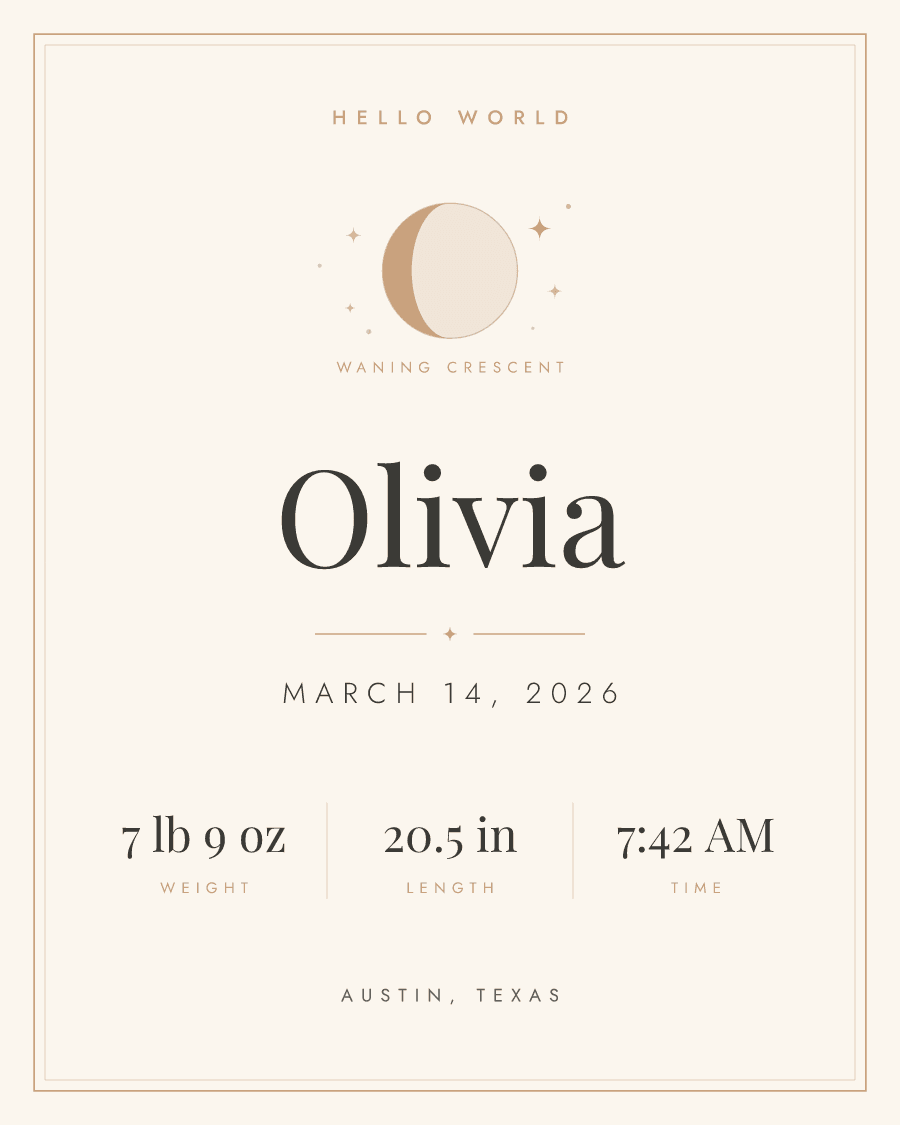
From design to print
- 1
Type the name and date
Start on the birth poster page. As soon as you type your baby's name and date of birth, every design in the gallery redraws with them, so you compare real posters, not placeholders.
- 2
Choose a design
Pick an illustrated design or one with the moon as it was on the day your baby was born, then the colors and the lettering. The poster can be in English or Spanish.
- 3
Add the details
Add the weight and length, in pounds and inches or in kilograms and centimeters, and if you like the time, the place of birth and the parents' names. Weight and length print in the units you choose, never converted.
- 4
Check the preview
The preview is free and changes as you type. It carries a PREVIEW watermark; the files you buy do not.
- 5
Pay and download
Pay $19 on Stripe's secure checkout page. Your download page opens straight away, and we email you its link.
- 6
Print it
Print the size that fits your frame at home, at a print shop or through an online printing service.
What files do I get?
Three formats of the same poster, in each of the seven sizes. The PDF is the one to print: it is vector artwork set at the exact paper size, so a print shop prints it at 100% with nothing to scale or crop. The PNG is a high-resolution image for print shops and photo kiosks that only accept image files, and for screens: 300 dpi in every size except 50 × 70 cm, which comes out at about 260 dpi. The SVG is the vector artwork itself, for anyone who wants to open it in a design program.
Why does the text print exactly as I see it?
Before the file is made, every letter on the poster is turned into a vector shape, the step printers call outlining the fonts. The file carries no fonts, so a print shop's computer cannot swap the lettering for another typeface, drop an accent or reflow a line: the name prints as it looks in the preview, at any size. If a character is missing from the lettering style you chose, the form tells you before you pay instead of printing an empty box. The one trade-off: the text in the PDF can't be selected or edited as text.
Which sizes are included, and which frames do they fit?
All seven, in every order: 8 × 10″, 11 × 14″ and 16 × 20″ fit standard US frames, and A4, A3, 30 × 40 cm and 50 × 70 cm suit European frames. The poster is laid out again for each paper shape rather than stretched, so it keeps its margins in every size. Because every size is included, you can print an 8 × 10″ now and a 16 × 20″ later without buying again.
How do I get my files?
Your order page opens with the download buttons as soon as the payment is confirmed, which usually takes a few seconds. We also email a link to the same page to the address you give at checkout. There is nothing to ship and no account to create: the link is your order.
Can I download the files again later?
Yes. The link in the email keeps working, so you can come back for another size or format whenever you need one. Each download is made fresh from the details you entered and, on a moon design, from the moon worked out when you ordered, so the name, the date and the moon never change. Keep the email private: anyone with the link can download the files. If an order is refunded, its downloads stop.
Can I change the poster after I pay?
There is no editing after payment, so check the preview carefully before you pay: the spelling of the name, the date, the time and the measurements. The preview is drawn by the same engine as the files, so what you see is what you get, minus the watermark. If you find a mistake after paying, reply to the order email and tell us what to change.
How should I print it?
Choose the size that matches your frame and print the PDF at 100% (“actual size”), not “fit to page”. Matte paper of 200 g/m² (about 74 lb cover) or heavier gives the best result. A good inkjet printer at home handles an 8 × 10″ on US Letter paper; for 11 × 14″ and up, use a print shop or an online printing service. If a shop only accepts images, send it the PNG.
Start with the name and date
Type them on the birth poster page and see every design with them. The preview is free.